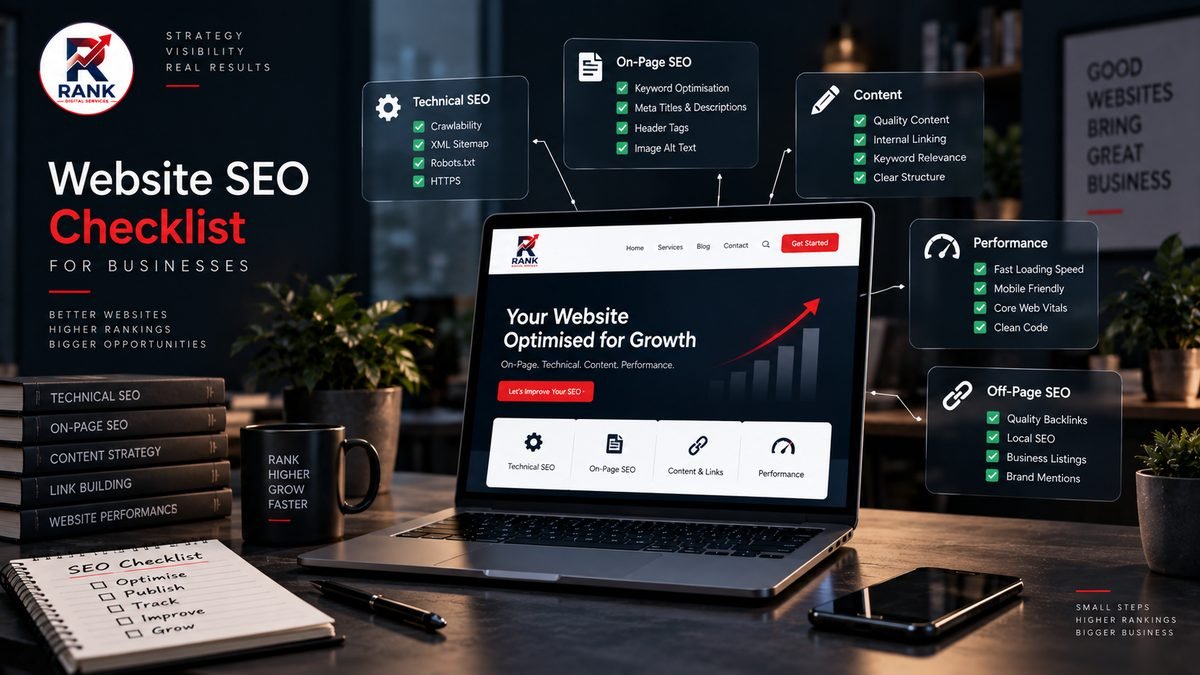
A website SEO audit can feel overwhelming if you're not familiar with the terminology. This checklist breaks it down into practical, checkable items you can work through on your own business website, grouped into technical, on-page and content categories.
Technical SEO
- Does your site load quickly? Slow-loading pages, especially on mobile, hurt both user experience and search visibility. Test your key pages and look for obviously large, unoptimised images or excessive scripts.
- Is your site mobile-friendly? Check that text is readable, buttons are tappable, and nothing overflows the screen on a phone.
- Does every page have one, and only one, H1 heading? Multiple or missing H1 tags can confuse both users and search engines about a page's main topic.
- Are there broken links or missing pages? Click through your main navigation and key internal links to check nothing returns an error.
- Is there a valid XML sitemap? A sitemap helps search engines discover your important pages, especially on larger sites.
- Does your robots.txt file block anything it shouldn't? Occasionally, sites accidentally block search engines from crawling important pages, CSS or JavaScript.
- Are your URLs clean and readable? A URL like
/services/seo-services/is more useful, to both users and search engines, than a string of random characters or parameters.
On-page SEO
- Does every important page have a unique title tag? Duplicate or missing titles make it harder for search engines to understand what each page is about.
- Does every page have a unique meta description? While meta descriptions don't directly influence rankings, they influence whether someone clicks your result in search listings.
- Do your headings follow a logical hierarchy? H2s for main sections, H3s for subsections beneath them, rather than skipping levels or using headings purely for visual styling.
- Do your images have descriptive alt text? Alt text helps accessibility and gives search engines context about image content, particularly relevant for image search.
- Are internal links using descriptive anchor text? "Explore SEO Services" tells both users and search engines more than "click here."
- Is there a canonical tag on each page? This tells search engines the authoritative version of a page, important if similar content could be accessible via multiple URLs.
Content quality
- Does each page genuinely answer the question a visitor searching for it would have? This is the single most important content factor, thin or vague content rarely competes well.
- Is the content written for a human reader first? Text that reads as if it were written purely to include keywords tends to perform poorly with both readers and search engines.
- Are there natural opportunities to link to related pages on your site? Blog content linking to relevant service pages, and vice versa, strengthens your overall site structure.
- Is the content kept up to date? Outdated information (old pricing, discontinued services, expired offers) undermines trust with both visitors and search engines over time.
Local SEO (if you serve a specific area)
- Is your Google Business Profile claimed, verified and complete? This includes accurate business hours, address, phone number and category.
- Is your business name, address and phone number (NAP) consistent across your website and other online listings?
- Does your website clearly mention the areas you serve? Naturally, in context, not repeated artificially throughout every page.
Structured data
- Does your site use schema markup where genuinely relevant? Organization, BreadcrumbList and FAQPage (where a real FAQ exists) are commonly useful for a business website.
- Is the structured data valid? Invalid JSON-LD markup can be ignored by search engines or, in some cases, flagged as an issue.
How to use this checklist
Work through the technical section first, issues here can undermine everything else, regardless of how good your content is. Then move to on-page factors, and finally content quality, which tends to be an ongoing process rather than a one-time fix. If you serve local customers, treat the local SEO section as a priority alongside the technical basics.
Frequently Asked Questions
How often should I re-run an SEO audit on my website?
A full audit once or twice a year is reasonable for most small business websites, with lighter checks (broken links, page speed) done more frequently, especially after any significant site changes.
Do I need special tools to check these items?
Some, like Google Search Console and PageSpeed Insights, are free and cover a good portion of this checklist. More advanced technical audits may benefit from paid SEO tools, but they're not strictly necessary to get started.
What's the single highest-priority item on this checklist?
For most sites, technical health (page speed, mobile-friendliness, and no broken pages) and having each page genuinely address real search intent tend to matter most, everything else builds on that foundation.